Sora Watermark Remover
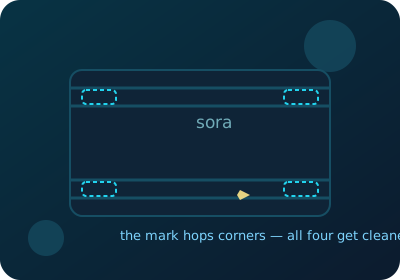
Your shots, their logo — hopping corners every few seconds. The Sora (moving) preset cleans all four corners on every frame, so wherever the logo sits, your clip comes out yours: right in your browser, with the audio untouched.
Clean a Sora clip nowClean your Sora clips
Built for a mark that moves
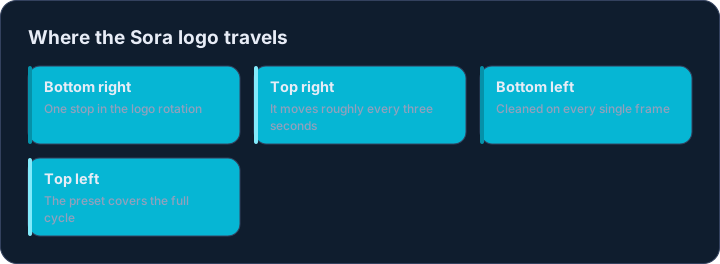
Most generator stamps sit still, which is why one position pill normally covers them. Sora 2 does it differently: its logo animates and changes corner roughly every three seconds, so by the time you have erased one corner of the frame, the mark has already moved on. A static box leaves a trail of clean corners and one very watermarked video.
The Sora (moving) preset takes the direct route: on every single frame, all four corners are cleaned at once. Wherever the logo sits in its rotation, it gets erased — so the whole clip comes out clean in one pass, with no keyframing and no manual tracking.
The honest trade-off, and when to skip it
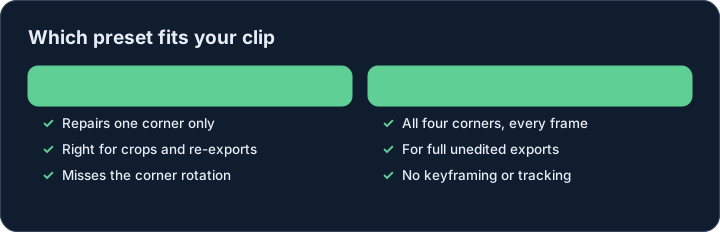
Covering the rotation means touching all four corners, not just the one the mark happens to occupy. On skies, gradients, bokeh and studio backdrops — where corners usually live — the repair is invisible. On corners full of fine detail, the four-corner pass softens texture you did not need to touch.
If your clip is a crop or a re-export where the logo stayed in one corner, skip the Sora preset: pick the matching corner instead and only that area gets repaired. The Sora preset is for full, unedited Sora 2 exports where the mark genuinely moves.
Audio, metadata and output
The audio arrives identical to the source — voice-overs and music lose nothing. The clean clip keeps the original resolution, as a standard MP4 that any editor or feed accepts.
The clean file also carries no records of where the clip came from: source tags from the original export do not survive. What you download is picture, sound and timing — nothing else.
Why does Sora need a special preset?
Because its mark moves. The Sora 2 logo cycles between corners every few seconds, so a single-corner repair leaves most of the rotation untouched. The Sora (moving) preset repairs all four corners on every frame, covering the whole cycle in one pass.
Will the four-corner pass be visible?
On soft backgrounds — skies, blur, gradients, studio backdrops — no: the fix melts into the background. On busy detail in the corners it slightly softens texture, which is the trade-off for covering a moving mark. Fixed-corner clips should use the regular corner presets instead.
Does it keep the audio?
Yes. Audio packets are transferred without decoding or re-encoding, so the sound is bit-for-bit what left Sora.
Are my clips uploaded anywhere?
No. Decoding, cleanup and re-encoding all run inside this browser tab. You can load the page, go offline, and keep processing.
How long does a clip take?
A one-minute 1080p clip typically finishes in well under a minute on a desktop — the four-corner pass adds a little work per frame, and the progress bar reports the frame count as it goes.