How to Remove the Gemini Watermark
The shot was right. The stamp was not. Three steps, about ten seconds per image, everything inside your browser — the files are never sent to a server.
Jump to the toolThe three steps
Drop the image or video
Drag your Gemini-generated image onto the tool, or click the drop zone to pick a file. Batch works too: select the whole folder of generations at once. Videos go to the video remover the same way.
Check the preset, adjust if needed
The default targets the bottom-right mark at medium size — correct for standard generations. Reframed an image? Switch the position pill and size, and the preview re-processes instantly.
Download the clean copy
Each image shows a before/after pair. Happy with the result? Download the file — it saves with a -clean suffix so your original stays untouched. Videos do the same, frame by frame, with the audio track kept.

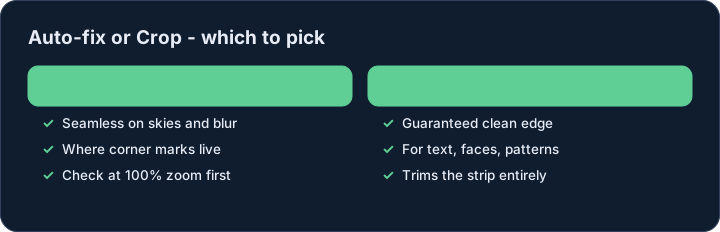
Auto-fix or Crop — which to pick?
Auto-fix makes the mark vanish into its surroundings. On skies, walls, gradients and blur — where corner marks usually live — the result is seamless; zoom to 100% and check before posting.
Crop trims the edge strip off entirely. Choose it when the mark overlaps faces, text or detailed patterns, or when you were going to crop for composition anyway. Videos offer Auto-fix only: cropping frames would change the shape of the picture mid-video.
Ownership basics
Remove marks only from files you generated or have permission to edit. The mark identifies AI involvement; stripping it from someone else’s work misrepresents authorship and can break the terms of the platform that produced it.
Does it work on phone?
Yes — the tool is built mobile-first. Add images from your camera roll and download the results.
Does it work on videos?
Yes — the video remover cleans Veo and Gemini clips frame by frame in your browser, with the audio track kept. See the Video Remover in the menu.
Do I need an account?
No. No signup, no email, no limits.